Help
Edit Tags
- In your AO3 fic, go to "Edit tags".
- Copy the tags.
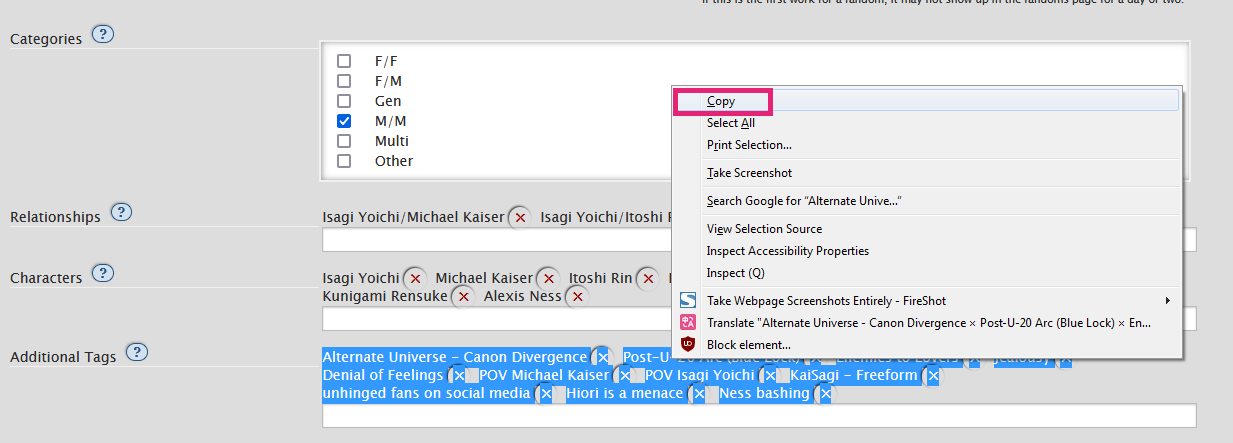
- Paste the tags into the input box in AO3ToolKit and hit Submit.
- Rearrange as needed by drag and drop.
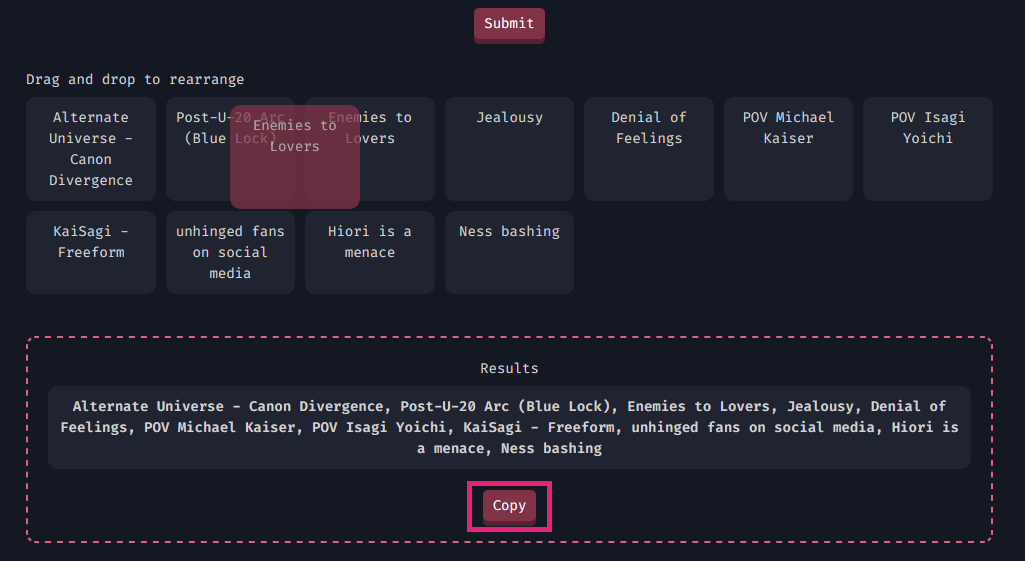
- Copy the rearranged tags.
- Delete all your existing tags.
- Paste the tags into the box and hit enter, save your changes.
Generate EPUB
- Copy the Work ID from the URL.

- Paste the Work ID in the input box and hit Submit. Wait for the EPUB to process, DON'T close the tab.